NEW CONTENTS
1. Wiring diagrams and interactive wiring
2. Examiner Fault Diagnosis STEP2
3. Magnification of images during repair procedures
4. Automatic adaptation to monitor resolution (on PC only)
5. List of last 5 Service News
6. Reorganizing of the sections in manual consistent with repair process
7. Warning for documents for campaigns being updated
8. Instant and progressive access counter
1. WIRING DIAGRAMS AND INTERACTIVE WIRING
On the Alfa MiTo model, like on the latest models, the wiring diagrams, cabling and component location have been enhanced with interactive features to allow quicker and simpler navigation between the various diagrams.
The interactive function is available in the following ambients: wiring diagram, component location and wiring.
This new feature also involves the connectors which are represented isometrically with the actual colour of the connector.

|
The interactivity between the ambients also works with the magnified image (“Magnify image”) |
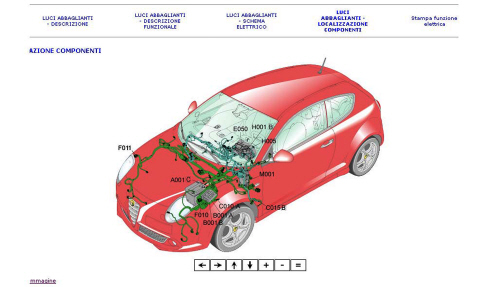
The wiring and the component location derived from the design mathematics are more accurate, both for the routing of the cables and for the component location and the different colours of the various cables makes them easier to identify.
The ambients to which the interactive functions have been introduced will be analyzed individually below
Wiring diagrams
The wiring diagram looks the same at first glance, but when you click on the mouse in the window of the diagram multimedia functions are activated.
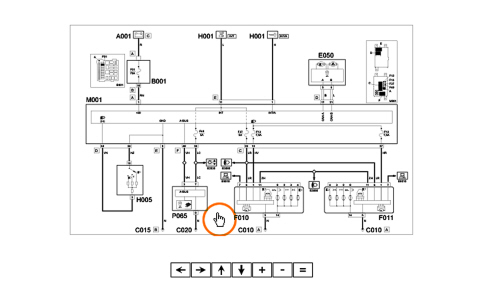
If you move the mouse over the diagram components F010, B002, etc. the arrow for your mouse changes shape, turning into a hand and the component is highlighted in red and a description of the component appears at the top on the left.
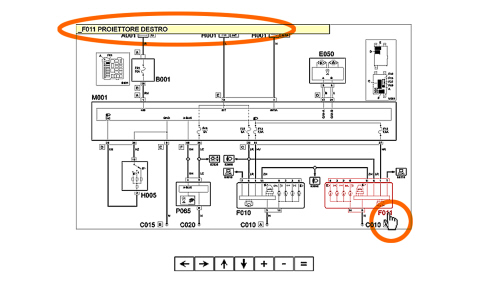
If you click on the component a window will appear allowing the operator to select one of the options in the window:
- connectors
- removing-refitting the component
- location
- wiring
- functional description
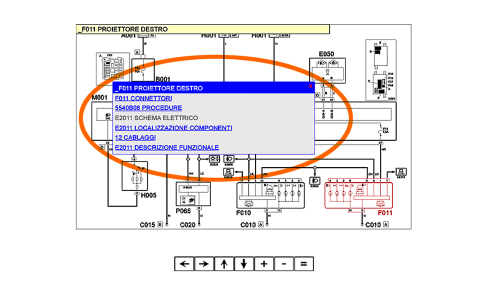
The options that appear in the dialogue window are different depending on whether component F010, B002 is selected
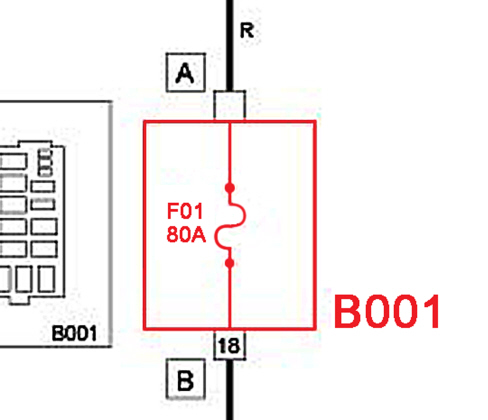
or whether the connector is selected by clicking on the relevant letter of the alphabet
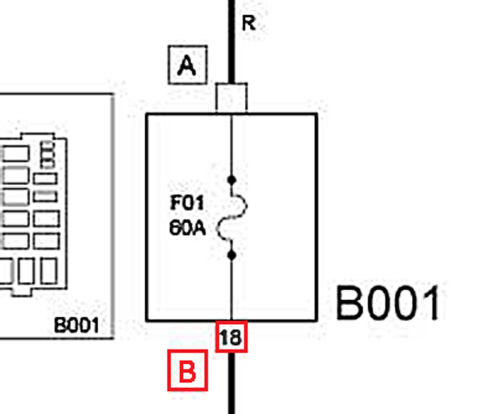
The selection options are analyzed below.
a. SELECTING A COMPONENT WITH A SPECIFIED CONNECTOR
Left clicking on the component using the mouse will make the following dialogue window appear:
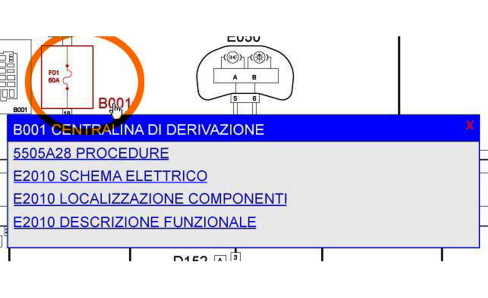
By selecting the window items it is possible to navigate inside the electrical equipment section or, clicking on the “procedures” item it is possible to display the removing-refitting of the actual component.
As can be noted, this dialogue window contains the options relating to the component only and there is no reference to the connector.
For information relating to the connector (e.g.: pin out) proceed with point “b”.
b. SELECTING THE SPECIFIC CONNECTOR FOR A COMPONENT
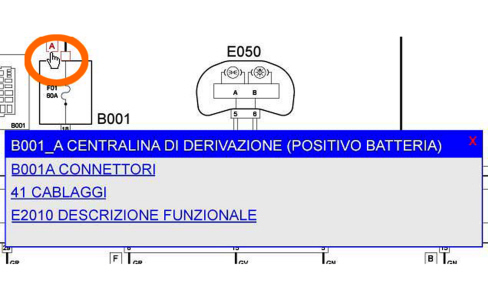
Selecting the items in the window it is possible to navigate within the electrical equipment sections.
c. SELECTING A COMPONENT WITHOUT A SPECIFIED CONNECTOR
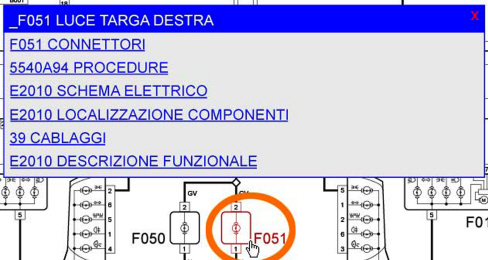
Selecting the window items it is possible to navigate within the electrical equipment sections already described in point “a“ with the addition of the item “connectors“.
The same interactive functions are also accessible by consulting the “Wiring” and “Component Location” sections.
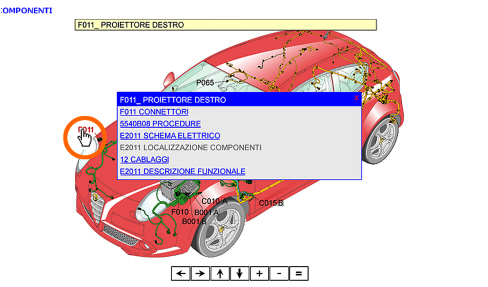
2. EXAMINER FAULT DIAGNOSIS
During the fault diagnosis using the Examiner, on a vehicle electronic system, an error identified by a specific code is detected (e.g.: P0101)
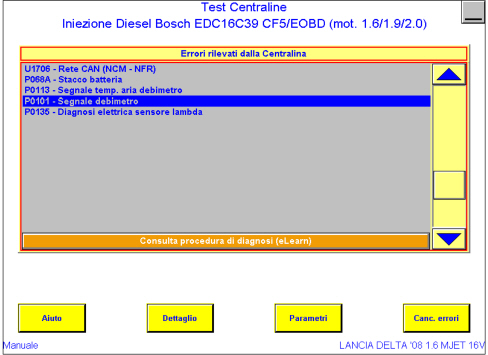
it is possible to connect to the relevant diagnostic procedure in the “Examiner Fault Diagnosis” section in the Service Manual by clicking the “Consult diagnostic procedure (elearn)” button
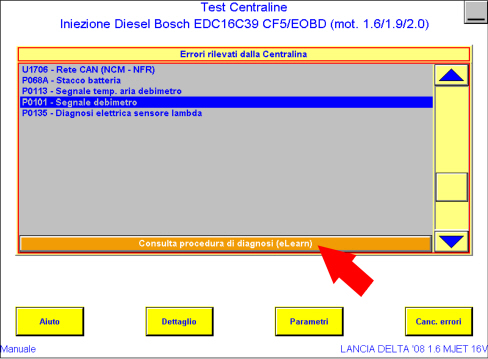
It will be possible to choose whether to consult the manual on CD or on the WEB via a dialogue window.
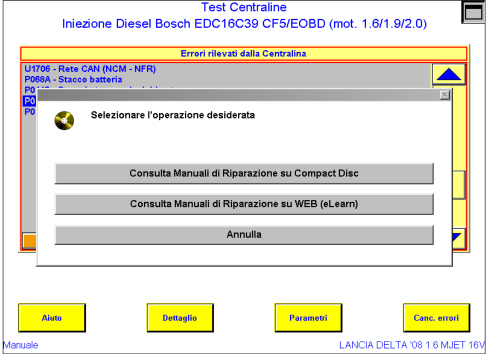
Select the fault diagnosis.
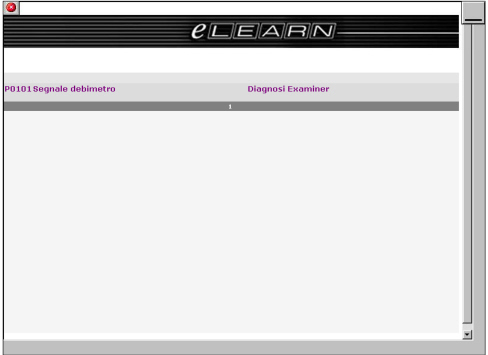
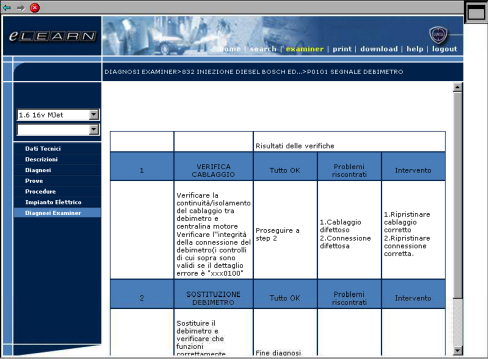
After that the diagnostic procedure from the service manual will be visible.
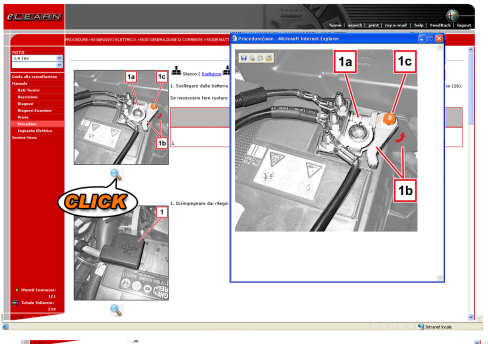
3. MAGNIFYING REPAIR PROCEDURE IMAGES
This new feature has been introduced for the images for the repair procedures to allow the details to be seen more clearly.
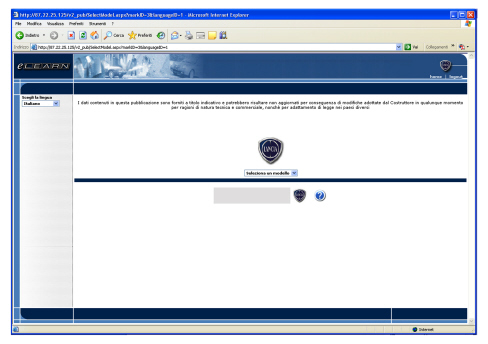
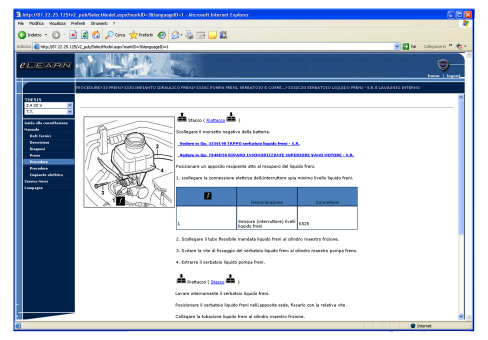
4. AUTOMATIC ADAPTATION TO THE MONITOR RESOLUTION (ON PC ONLY)
After having entered your details in eLearn and after having selected the marque, the eLearn page will automatically adapt to the resolution of the monitor thereby making reading easier. This automatic adaptation can only be used on a PC and not on the Examiner diagnostic equipment.
5. LIST OF LATEST SERVICE NEWS
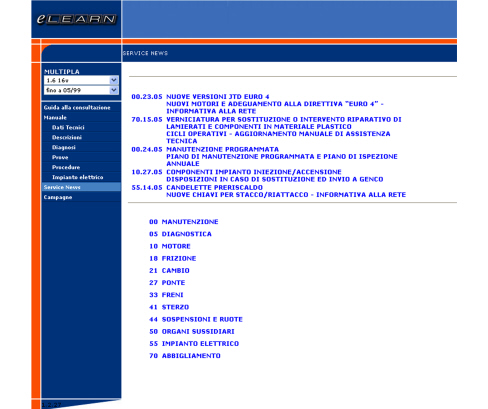
The Service News page contains a new feature: the last 5 Service News published are displayed at the top of the page.
The list is updated in real time as the Service News are issued.
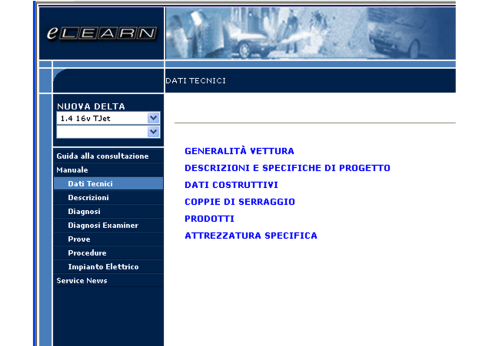
6. REORGANIZING OF THE ORDER OF THE SECTIONS IN THE MANUAL CONSISTENT WITH THE REPAIR PROCESS
The order of sections in the manual has been revised so that it is more suited to the operating sequence to be followed during the repair.
The new order is as follows:
- Technical data (to determine any specifications of the component involved)
- Descriptions (to determine the functional description of the component involved)
- Fault diagnosis (from which to identify any problems/repair solutions based on the symptoms described by the customer)
- Examiner fault diagnosis (from which to identify any problems/repair solutions based on a fault code detected using the Examiner)
- Tests (from which to determine tests to check the condition/operation of the component concerned)
- Procedures (from which to obtain the operating cycle for removing/replacing or adjusting the component concerned)
- Electrical equipment (from which to determine electrical connections, pin out, functional description and location of vehicle electrical/electronic components).
7. WARNING FOR DOCUMENTS FOR CAMPAIGNS BEING UPDATED
If a campaign is in the process of being updated, a warning will appear at the side of the code to indicate the “modification” status of the actual campaign.
At the end of the modification, when the campaign is opened the relevant points of the update will be highlighted.
8. INSTANT AND PROGRESSIVE ACCESS COUNTER
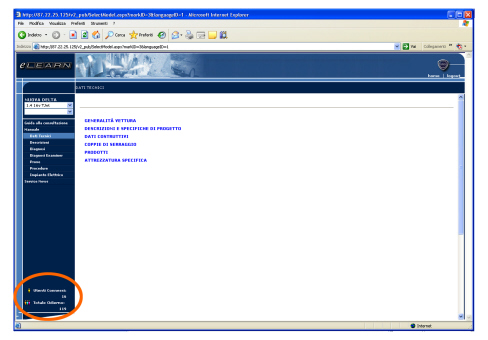
After having entered your details in eLearn and having selected the marque and model, a screen showing an instant and progressive access counter can be displayed at the bottom left.
“Users connected” identifies the number of users connected at the time.
The daily total gives the number of visits during the day.