
 Removing
(
Refitting
Removing
(
Refitting )
)
- Disconnect the negative battery terminal.
|
Name |
Connector | |
|
- |
BATTERY |
|
|
Removing
(
Refitting
)
- Disconnect the negative battery terminal.
|
|
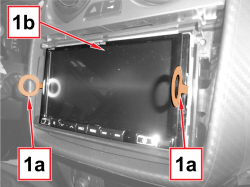  |
1. Insert the keys (1a) supplied fully into the holes and pull them towards you to extract the radio navigator (1b). - Remove the keys supplied with the radio navigator. |
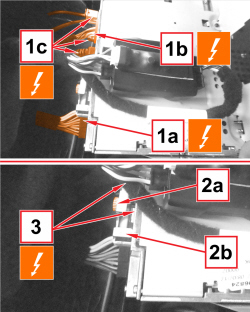  |
1. Disconnect the electrical connections: (1a) power supplies / loudspeakers; (1b) rear video camera and vehicle speed signals; (1c) aerials. 2. Undo the screw (2a) and remove the plate (2b). 3. Disconnect the USB / HDMI IN connections.
|
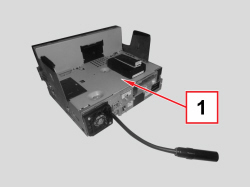  |
1. Keep the radio navigator. |
|
|
Refitting
(
Removing
)
- Check that the component is intact and working, otherwise replace it. - Connect the electrical connections: power supplies / loudspeakers; rear video camera and vehicle speed signals; aerials; USB / HDMI IN.
- Fit the plate and tighten the fixing screw. - Fit the radio navigator in position and engage the internal retainers.
- Check that the radio navigator and the loudspeakers are working. |
|
|
|
- Connect the negative battery wire terminal.
|
