




|






|
|
| Service News | ||
|
|
Various models
Versions: All versions equipped with radio or radio-navigator (*) |
|
|||
| 5500 0 000 AA |
RADIO AND NAVIGATOR SYSTEMS
Instructions for downloading update software – Network information |
|||
(*) The Service News applies to the following models: 500 (150), Panda (319/519), Grande Punto/Punto Evo (199/299) - 500L (330/530), 500X (334), Tipo (356/357), 124 Spider (348), Fiorino/Qubo (225/300), Doblò (152/263), Ducato (290/295), Ypsilon (402), MiTo (145), Giulietta (191) - Giulia (620) - Stelvio (630) - 4C (643) - Scudo (272) - Talento (296) - Fullback (305/502/503) - RAM 1200 (504).
General information
- We hereby inform you that, from 30 July 2018, downloading software to update Radio and Radio-Navigator systems must be authenticated by entering your workshop credentials.
- The credentials are the same as those used to access Link-e-Entry.
The following methods are available:
1st Method
- The user already has an open Link-e-Entry session - the download starts automatically.
Example: the user accesses Link-e-Entry to consult the Campaigns or Service News, checks if an update file is available and, without leaving Link-e-Entry, downloads the file.
2nd Method
- The user does NOT have an open Link-e-Entry session - the download starts after entering the credentials.
Example: the user does not access Link-e-Entry, but had already used the update file and saved it with a name, and copies the name into the URL to request the download.
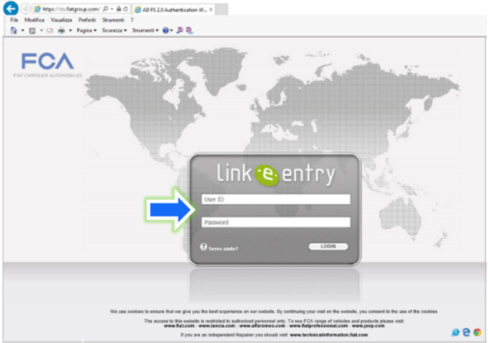
The Link-e-Entry access screen will appear (Fig. 1), the user types the access credentials (User ID and Password), and the download will start automatically when the credentials have been acknowledged.
Fig. 1